by tomek on February 3, 2012

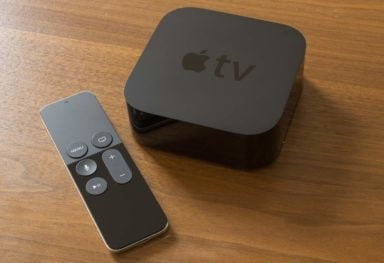
We’ve been so busy lately going through all the rumors on the upcoming Apple Television that we forgot to let you know that the Plex client for Apple TV 2 has been updated to version 0.10 (and later on to version 0.10.0.71 – beta 2). The new version brings some significant changes, like DirectPlay support and Full myPlex support, and supports Apple TV 4.3 and 4.4 firmware.
Highlights of the release:
[click to continue…]
by tomek on January 3, 2012
by tomek on November 21, 2011
FireCore’s Seas0nPass has been updated for Apple TV 2 running firmware 4.4.3. It’s still a tethered jailbreak, meaning every time there is a need to reboot your Apple TV, you will have to connect it to a computer. Seas0nPas for 4.4.3 doesn’t support XBMC, Plex client, and Rowmote plugins yet. Supported are Media Player, Couch Surfer, nitoTV, Remote HD, Last.fm, Weather, RSS Feeds and Overflow.
[click to continue…]
by tomek on November 17, 2011
by tomek on October 18, 2011

Firecore has just updated Seas0nPass to support a TETHERED jailbreak of the new Apple TV 4.4 (iOS 5) software (also supported is the 4.4.1 update). A tethered jailbreak means every time there is a need to reboot your Apple TV, you will have to connect it to a computer. The new Seas0nPas doesn’t support XBMC, Plex, Remote HD and Rowmote plugins yet, so think twice before deciding to upgrade to 4.4 and run the jailbreak.
If the support for Media Player, Couch Surfer, NitoTV, Last.fm, Weather, RSS Feeds and Overflow and the new Apple TV 4.4 features, like AirPlay Mirroring, Photo Stream, NHL and WSJ Live are enough to convince you to update, you can then jailbreak your atv following these steps:
[click to continue…]
by Ruben on August 28, 2011

Today we will install an FTP server in one of our Apple TV 1. FTP means File Transfer Protocol, and a FTP server is a program sitting in your device, waiting for someone to send him files (or ready to send them). Then, if you have an FTP server in your Apple TV, you can transfer files easily an quickly from your Mac OS (in a Finder window, Go menu and select connect to server, then ftp://locationofappletv) or your Windows machine (just enter ftp://locationofappletv in your Explorer window).
For this tutorial to work, you need to have SSH access to your Apple TV. Of course, this is the first step in any jailbreaking tutorial, so I’ll assume you are past this step. If you are not, you can find more details in our How-To category.
This will only work (in an useful way) in an Apple TV1, since the Apple TV2 lacks a hard drive and FTP needs somewhere to store the files. What else do you need? Well, you need the FTP daemon. A daemon is a special kind of program in UNIX systems that watches what is happening… Oddly enough, the name comes from electromagnetism’s theory father, James Maxwell. Odd happenings. [click to continue…]