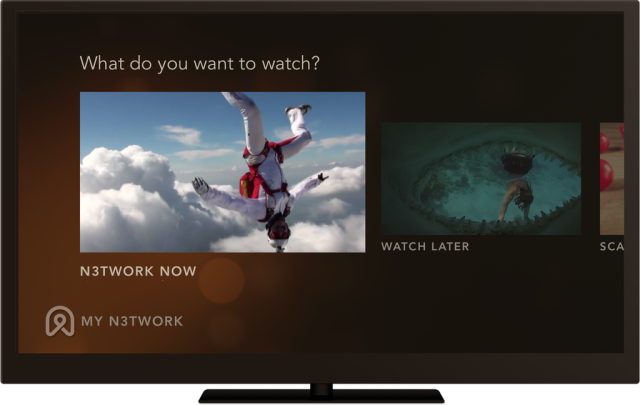
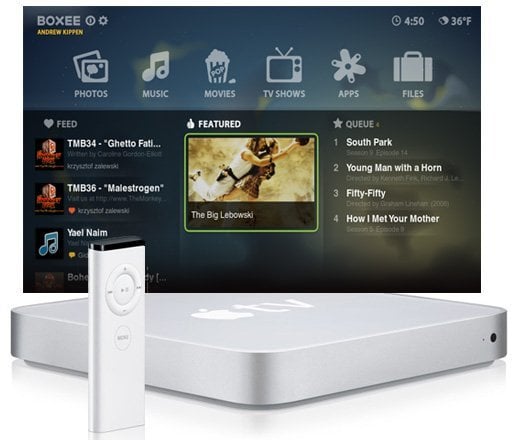
Boxee Beta Now Works on Apple TV

by tomek on January 15, 2010

boxee beta apple tv Boxee Beta Now Works on Apple TVAlthough there is still no official release from Boxee team, the community has already brought the Boxee Beta to the Apple TV. On the Boxee Blog, Jim Wiley posted a step by step guide on how to enable the Beta on the atv.

The guide assumes that you have SSH enabled on you ATV and you know how to log in to it to issue commands via a Terminal and that you know how to copy files over from your PC/Mac. But in case you were a complete noob, Jim has also given a short explanation on how to do this.

It was already verified on the latest ATV 3.0.1, as well as on ATV 2.4 software.

Find the guide here.

The FAQ and comments below the post clarify a bit how to solve some of the Beta issues (online content, scraping issues).

Great job, Jim!

Share and Enjoy:
  • Digg
  • del.icio.us
  • StumbleUpon
  • Facebook
  • MySpace
  • Technorati
  • Google Bookmarks
  • Fark
  • Furl
  • LinkedIn
  • Live
  • Meneame
  • NewsVine
  • Ping.fm
  • Propeller
  • Reddit
  • Slashdot
  • Tumblr
  • TwitThis
  • Wikio
  • Yahoo! Buzz
  • Wow,It is new free MMORPG geme "dragon's call" ,u can have see more on www.gamedp.com
  • CYE
    Oh & Boxee Rocks! Thanks Boxee for being such great people to give us such a great program to use how we see fit. Boxee I for one appreciate your work & I appreciate that you shared it & did not sale it to us, so you got my respect & you were good enough to even make it be able to be installed on Macs, Linux & Windows & by way of wonderful hacks other devices are able to use boxee & I want to say Thank You & I am going to purchase your set-top box (Boxee Box) just because you have been so great to us geeks when other companies won't give us a free update. Again Thanks if you ever read this post!
  • CYE
    Mine Works! & as far as flash, it even has a flash install & Firefox install so you can see anything using it. But if you got slow broadband connections, then you may have trouble. As far as the crashing thing, I have not crashed yet & hope I do not, but you know how tech is, one day it works the next trouble, but for now I am having fun with it especially not having to turn on one of my macs,Windows or Linux Boxes to suck more electricity right out of my wallet. I love this hack & my wallet loves it even more.
  • MoTo
    Are you kidding me? After several years of nothing, lets stop admiring the Emperor's clothes. It's time someone says this so that someone doesn't actually BUY a device for Boxee:

    BOXEE SUCKS.

    I have yet to get this--sorry-trashware to run ANYTHING on an AppleTV. You can look through a lot of things online. But select something and press play and more often that not you will find that the AppleTV just crashes. Boxee is crap. Don't waste your time.
  • kaarup
    how does the ATV handle 1080p MKV with Boxee?
  • I agree - You can find Hulu content under TV Shows. It was a little surprising as I was not sure what that section was for. Unfortunately, the Hulu content did not work for me. I got a message saying that I need a flash player. It looks like this is just emulating a browser, which is fine. But how do I these plug-ins.

    Other than that, the beta runs great on my ATV 3.2. It is much better than the Alpha in that it crashes less (not never, but less). It also seems that the beta understands my VOB formated DVDs (the old one you had to guess which file to run) and plays VOB dvd menus great.

    Good improvement all-in-all.

    P.S. Pandora works GREAT!
  • WhereIsHulu
    I do not see Hulu in the Boxee Beta for AppleTV anywhere in the Apps. The last Alpha I had installed had it and it worked just fine (other than HD content, which has always been choppy and probably always will be with the limited ATV hardware). So by "upgrading" to the Beta, I actually got downgraded to no Hulu. There is no option on Launcher to put back the older Alpha either. It also lost all my password and network settings, which never happened on any prior Boxee updates through Launcher.
  • MHBA11
    go to shows - it's all in there and you just click hulu feed
  • John
    Got it running on 3.0.2 last night
  • Rob S.
    Any word if this works with ATV 3.0.2 that was just released? Anything that you have to do differently?
  • Zadd
    i do all of this and nothin happpen in my new apple tv 160g
  • Matt
    If I have an old version of Boxee on my ATV, do I need to run a whole new patchstick?
  • Hi
    I have manually installed all the pre-release beta’s on my ATV – none of them have worked so far. They all crash immediately after going into the main screen. Does the version released today actually work? If it does, I’ll gladly manually install it and test it out….
  • I tried installing this and it did not work. It downloads everything and then just hangs. Here is what I see in my shell.

    -------------------------------

    -bash-2.05b$
    -bash-2.05b$ ./BoxeeBetaInstallScript.sh
    Password:
    egrep: /Users/frontrow/Applications/Firefox.app/Contents/Info.plist: No such file or directory
    Downloading Firefox 2.0.0.20: 17.2MB
    --11:55:01-- ftp://ftp.mozilla.org/pub/firefox/releases/2.0.0.20/mac/en-US/Firefox%202.0.0.20.dmg
    => `Firefox 2.0.0.20.dmg'
    Resolving ftp.mozilla.org... 63.245.208.138
    Connecting to ftp.mozilla.org|63.245.208.138|:21... connected.
    Logging in as anonymous ... Logged in!
    ==> SYST ... done. ==> PWD ... done.
    ==> TYPE I ... done. ==> CWD /pub/firefox/releases/2.0.0.20/mac/en-US ... done.
    ==> PASV ... done. ==> RETR Firefox 2.0.0.20.dmg ... done.
    Length: 17,976,702 (17M) (unauthoritative)

    100%[====================================>] 17,976,702 10.34K/s ETA 00:00


    ----------------------------------------------

    Nothing happens after that.

    My question now is what to do?
  • tyuy98y8w
    ...rather wait for a new patchstick, anyone?
  • Ive tried stripping out the old boxee files and beta profile and reinstalling the boxee beta but i still get a error 10 a few secondes after boxee loads....it seems to me it must be hanging onto my profile somehow. I see others have had sucess in doing this.
    Any suggestions ?
  • gboruk
    I got this to work, but I haven't been able to get any videos to play. What am i doing wrong?
  • Hog_Wild
    guys I went to the terminal and entered the info and loaded boxee on my ATV 3.1 and it loaded or it showed on the menu but when i tried to run it (boxee) i get an error message. I did a factory restore and tried to redo everything but this time when doing the Terminal piece of it i'm getting a host key verification failed. I'm out of my league here. Any ideas?
  • Jay
    I've had that problem when trying ssh between several different apple devices through the terminal. I found this on a forum and it works to wipe out that issue. Run this terminal command and try it again

    "At any rate, you can just clean out the known_hosts file and the warning will go away and allow you to connect.

    Open up Terminal and do:
    echo "" > .ssh/known_hosts

    (note that the above is two sets of quotes) "
  • UnclePhil
    Mine is up and running... if only Snow Leopard wasn't having insane wifi issues my Media shares over network would all be working.. :(
  • Chas
    I can confirm 100% that the guide works. I have it up and running.
blog comments powered by Disqus