Adding DVDs to AppleTV

by tomek on February 5, 2010

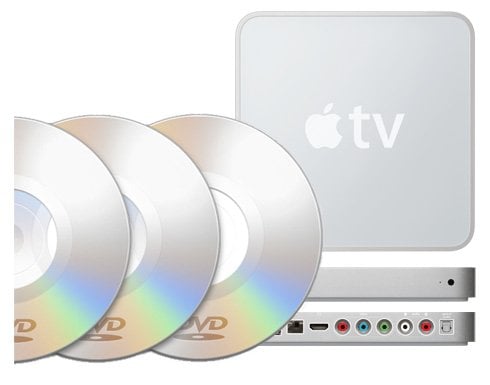
dvd to apple tv Adding DVDs to AppleTVA simple how-to for those who still haven’t figured out they can move their DVD collection do the atv. “Ripping your personal DVD’s for the AppleTV adds convenience. Selecting them from My Movies is so much simpler than finding and then loading up the DVD,” says Guy and we do agree. Guy recommends using DVD43 for ripping and HandBrake for converting to mp4, but remember there is a lot of other software that can do this job. For those who like to organize their movies with DVDpedia, PARA9 has just released DVDpedia FrontRow and AppleTV plugin 2.0.6 with AppleTV 3.0.1 support.

Read How to add your DVDs to AppleTV

Share and Enjoy:
  • Digg
  • del.icio.us
  • StumbleUpon
  • Facebook
  • MySpace
  • Technorati
  • Google Bookmarks
  • Fark
  • Furl
  • LinkedIn
  • Live
  • Meneame
  • NewsVine
  • Ping.fm
  • Propeller
  • Reddit
  • Slashdot
  • Tumblr
  • TwitThis
  • Wikio
  • Yahoo! Buzz
  • Jabrwock
    I've found a few problems with Handbrake, but these are more general config issues. I do have a few movies that had to be re-encoded due to quality issues (macroblocking), but it just means I have to review the rip (on the ATV, my mac plays them just fine... perhaps there's a difference in QT from the ATV to full OS X...).

    One thing to remember, if you include things like Commentary audio tracks, use Subler to rename the track, otherwise ATV links them and you can't select the commentary track to play... a strange bug in how ATV handles such things I guess.
  • For your conversion jobs of DVD contents for viewing pleasure on Apple TV screen here is a powerful, speedy and perfect tool.Any movie available from the iTunes Store can be viewed on Apple TV.Its very great quality for enjoy movie at home just like theater.
  • FredMcMillan
    Is there a reason why you would use DVD43 to rip rather than letting Handbrake do all the work? All you really need to do is find 64bit Handbrake with VLC 64bit, open Handbrake, pop in the DVD, let it scan. On the side bar select the little Apple TV icon then click start and let the magic happen. It just takes a while, even if you already have say, an AVI file that you are converting through Handbrake. This is why ya need to put NitoTV on your junk so you aren't a slave to iTunes. I do admit, it looks prettier through iTunes cus you can put the movie poster as a graphic in your library where NitoTV has a look of basic folders. I havent used DVDpedia but I might start.
  • bradkrause
    For those of you still using a PowerPC running Mac OSX 10.4 "Tiger", MacTheRipper v3 works great for ripping, while MPEGstreamclip along with Elgatos Turbo.264 is faster than Handbrake.
blog comments powered by Disqus