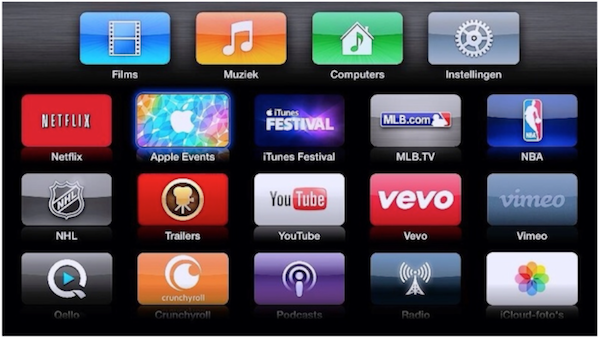

Internet Radio without hacking

by editor @ AppleTVHacks.net on April 28, 2008

internet radio working again Internet Radio without hacking

Some of you may already knew this, but Apple TV unofficially supports Internet Radio. I found this out when 2.0 was released a few months back.

To get this feature working, all you had to do was create a playlist with Internet radio stations in it then just sync the playlist to the Apple TV. One major flaw was that, iTunes had to be running at the same time. Otherwise, the stations would disappear from the Apple TV.

With 2.0.2 update, this is no longer the case. The playlist with the Internet Radio streams would persist even when iTunes is not running on the computer it synced with. However, once you restart the Apple TV, the playlists with Internet Radio streams would disappear.

I have written a post about this on Apple TV Source . So while, we don’t have 100% functionality for Internet Radio yet, it is still much better than before.

Share and Enjoy:
  • Digg
  • del.icio.us
  • StumbleUpon
  • Facebook
  • MySpace
  • Technorati
  • Google Bookmarks
  • Fark
  • Furl
  • LinkedIn
  • Live
  • Meneame
  • NewsVine
  • Ping.fm
  • Propeller
  • Reddit
  • Slashdot
  • Tumblr
  • TwitThis
  • Wikio
  • Yahoo! Buzz
  • Pedro
    For listening to radio through internet I use www.radiobeta.com
    Many radios and there is no need in registering or downloading any software.
  • Zarkoff
    Make sure the playlist is set to be synced to the appletv, and then resync the atv to refresh it.
  • kfractal
    I can't seem to get this working at all... I made the playlist but nothing ever shows up in it :(
  • TC
    Great Tip!!! KROQ (L.A. Station) through the main sound system while living in N.Y. is the best! Thanks for the pointers!
  • This is great, i love TV but sometimes when you can't have your eye's looking at the TV screen , i find radio a better alternative. Thanks for the post
blog comments powered by Disqus