It now seems as if it has been years since we began the wait for an Apple TV 3 jailbreak! The truth is, I have grown tired of the wait and decided to look into what I could do with my existing Apple TV 1 & Apple TV 2. What I found was an tool known as OpenELEC 2.0! OpenELEC is one of the projects that aims to give users the ability to install XBMC as a standalone operating system for a wide variety of devices. What OpenELEC has done is build a stable version of XBMC using Linux and then create an installable package, integrated with a host of drivers, for a growing number of machines, including: old & new laptops, old & new desktop computers, raspberry pi boxes, and, yes, even your old Apple TV 1! Sadly, due to the software/hardware, the Apple TV 2 is not supported.
XBMC
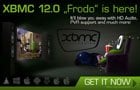
We have had XBMC 11.0 Eden for 8 months now and, if you are anything like me, it is time to begin the process of upgrading our XBMC installations to the new & improved XBMC 12.0 Frodo. The process should be fairly straight forward and essentially identical to the process we used for install the previous version of XBMC. Before we get started let’s clear the air on a few points so that we are all on the same page:
If a jailbroken Apple TV loaded with XBMC 11.0 “Eden” was not enough for you, we have some great news. XBMC has just released their first public BETA of XBMC 12.0 “Frodo”. The team has been hard at work pushing out one of their fastest, and most feature-rich, upgrades in history. As of the release of Eden, XBMC’s current stable build that is likely installed on all of your Apple TV’s, the team promised the beginning of a new monthly building plan that would hopefully expedite the process of fixing bugs and updated releases. As of this week, it would appear that this plan has, in fact, worked.
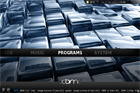
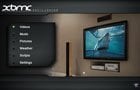
Making my Apple TV sexy is one thing I am passionate about. Whether you are want to change the background, adjust the location of your menu options, or even change the complete look and feel of your operating system, XBMC allows you to do it all! If you are a regular visitor to our site, you know that we are fans of XBMC and what it can do for you, and your Apple TV. Of all the benefits it offers, my favorite has to be the fact that XBMC offers skins. These skins are free to download, free to install, and free to design.
If you are a fan of jailbreaking your Apple TV’s, or even your iDevice (iPad, iPhone, iPod), then you are likely aware of XBMC. This awesome multi-media platform has worked its way from the original XBOX all the way to your Apple TV 2, and even your iPod Touch. Though installing XBMC is one of the easiest hacks to through on your jailbroken Apple product, getting XBMC set up correctly, and effectively, is a process that can take the better part of a year to learn, understand, and master. That is, until the release of the new XBMC HUB Wizard.
IceFilms XBMC addon has been recently updated to version 1.1.12 that fixes minus.com resolver for metadata zips, adds ShareBees user login support (does not detect free user vs premium as of now), fixes JumboFile and ShareBees resolver for site changes, updates VidHog resolver to check for ‘server in maintenance mode’ msgs and disables ‘Video Seeking’ option (not needed for current sources and has been causing problems).