New bootloader to boot Linux
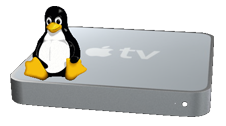
Scott Davilla of the atv-bootloader project has informed me that a new bootloader for Apple TV to boot Linux is now available. With this version, kernel patches to the EFI are no longer required. Also, atv-bootloader can now boot Linux from any mass storage device (including external USB device).
For more information on this, go to atv-bootloader site here.
Actually, Scott wrote to me a couple of weeks back. I just didn’t have a chance to update the site until now. Sorry, Scott.
Monday 28 Apr 2008 | | Del.icio.us | News

May 7th, 2008 at 4:54 pm
The nvidia binary has an xorg.conf setting for “SCART” TVOutFormat. Not a clue but that might work.
I would;
a) do the setup on your HDTV display. This eliminated unknown factors regarding display issues.
b) once working and ssh enabled (so you can get in with out needing a working display), then try to get it working with your SDTV. At this point it’s a “how do I drive SCART using component outputs of a nvidia 7300 card using xorg” question. Searching for this with google or on the nvidia forum should reveal the answer.
I would also join the atv-bootloader discussion group and ask there. Someone might have already have a solution.
May 7th, 2008 at 10:14 am
I do have a HDTV that can be used for the initial setup
May 7th, 2008 at 9:54 am
thanks drag0n.
Ok, so now we know it is possible via composite. How would I go about achieving this via linux using scotts atv-bootloader?
(as I want to leave my ATV unmodified)
Joe
May 7th, 2008 at 8:23 am
The AppleTV can display composite, which should be compatible with scart. See http://wiki.awkwardtv.org/wiki/Composite
May 7th, 2008 at 3:53 am
And your SDTV has what type of video inputs? If you don’t have HDMI, DVI-D or component, then your SDTV does not have any video inputs capable of accepting a video signal from the AppleTV.
If you can run Mythbuntu on traditional PC hardware and connect to your SDTV using HDMI, DVI-D or component, then the AppleTV can do the same and it will be a similar setup.
I highly recommend going through the wiki page, there is lot’s of detailed information about setting up Mythbuntu.
You do need some Linux experience with this project. If commands like “cat, ls, umount, pico, etc” are unfamiliar, the guides on the wiki will not make sense.
May 6th, 2008 at 3:06 pm
My 8GB flash works fine. Mythbuntu will fit nicely on it.
May 6th, 2008 at 12:08 pm
Hi,
Just ordered an 8gb flash drive!
I take it this works with the latest AppleTV firmware?
Joe
May 5th, 2008 at 6:53 pm
If you can wipe and use it as a general purpose USB disk, then yes.
I think there is a method to restore a wiped iPod but don’t quote me on that. google for it.
A inexpensive 3.5″ USB enclosure with a PATA hard disk would be pretty cheap, about $75 or less depending on your sources. If you have existing PATA drives, even less. Seems a shame to repurpose a video iPod for this task.
May 5th, 2008 at 6:10 pm
looks like I will be buying an AppleTV just for this! Can I use an ipod video as the disk on which I install mythbuntu? If so, will this mean it can never again be used as an ipod?